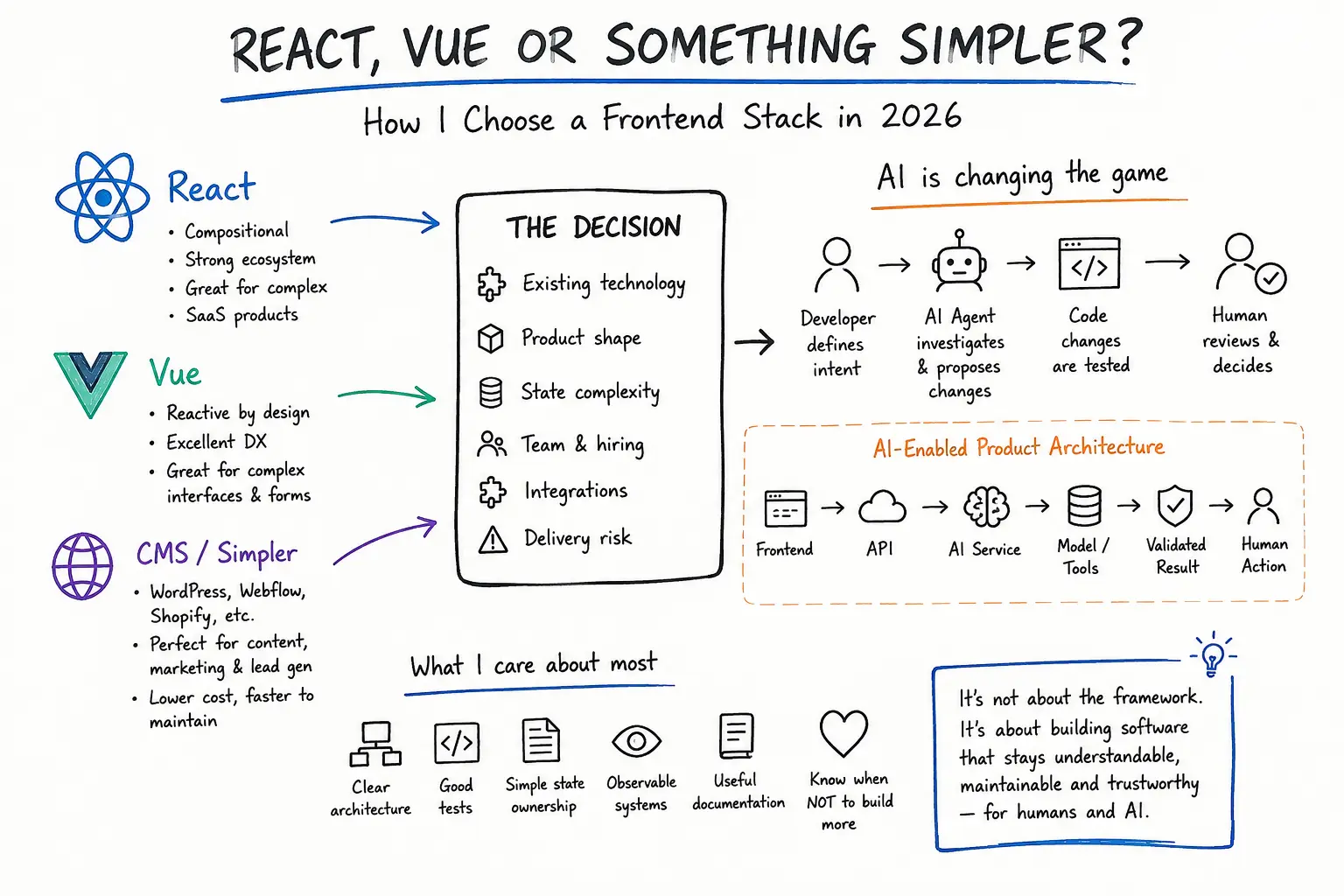
I have been revisiting React best practices lately, not to collect another certificate, but to make my React work feel production-ready instead of demo-ready.
I am building Pagelyze from Sunbury, Melbourne, as part of PKTechie’s work helping businesses improve websites, audits, lead flows, and practical digital systems.
I already work across Vue, Nuxt, Laravel, CMS platforms, and analytics. But React is the skill I want to sharpen properly, especially while building my own product, Pagelyze, a website audit and lead-check tool under PKTechie.
Pagelyze is not a toy app with a few components. It has real product concerns: audit reports, scoring logic, lead-flow evidence, dashboards, and paid-conversion paths. So while relearning React, I kept asking one practical question:
Can the code stay clean while the product gets more useful?
That question changed how I think about React. Here is what shifted.
Good React is not just about hooks #
useState, useEffect, useMemo, custom hooks - important, but not the full story.
A React app can use modern syntax everywhere and still be miserable to maintain.
The real issue is rarely syntax. It is whether each piece of code has a clear responsibility. A component should not become a dumping ground just because it technically works.
Component responsibility matters early #
Not every component should do the same job. Some display UI, some manage forms, some coordinate data, and some define structure. In a small project this might not matter. In a growing product, it is the difference between a quick fix and a risky one.
In Pagelyze, an audit report screen could easily turn into one giant file: loading data, rendering scores, explaining SEO issues, showing Lead Rescue evidence, deciding which service to recommend, and handling every loading, empty, and error state.
It would work for a while. It would not scale.
<AuditSummary />
<LeadCheckPanel />
<EvidenceList />
<ServiceRecommendationCard />
<ReportActions />
Each component has one clear reason to exist. That means I can improve the Lead Rescue section without touching SEO scoring, or redesign a card without rewriting data logic.
Product lesson
Clean component responsibility is not just a technical win. It supports product speed. Messy components eventually become messy user experiences.
State should live where it makes sense #
It is easy to overcomplicate React state. Not everything needs Redux or Context. The better question is: who actually needs this state?
Local if one component needs it, lifted to a shared parent if a few do, global only if many unrelated parts do.
Local UI state:    tabs, toggles, modals, expanded panels
Form state:        audit URL, validation, submission status
Server state:      audit reports, scans, saved results
Global state:      user, organisation, plan, permissions
The goal is not the biggest state tool. The goal is making data flow obvious.
Hooks should extract meaning, not hide mess #
A custom hook should represent a meaningful piece of behaviour, not just relocate messy code.
const { report, isLoading, error } = useAuditReport(reportId)

function AuditReportPage({ reportId }: { reportId: string }) {
  const { report, isLoading, error } = useAuditReport(reportId)

  if (isLoading) return <ReportLoadingState />
  if (error) return <ReportErrorState />

  return (
    <ReportLayout>
      <AuditSummary report={report} />
      <LeadCheckPanel leadCheck={report.leadCheck} />
      <RecommendedFixes report={report} />
    </ReportLayout>
  )
}
The page only coordinates the screen. That is enough, and it is easier to read because it is not trying to do every job at once.
Structure the project around the product, not the framework #
The classic components/, hooks/, utils/, pages/ split is fine early on.
As the app grows, feature-based folders age better.
features/
  audit-report/
    components/
    hooks/
    types.ts
  lead-rescue/
    components/
    evidence/
    manual-proof/
  dashboard/
    components/
    hooks/
If I am working on Lead Rescue, I should not have to jump across ten folders to understand it. Good architecture reflects the product domain, not just the framework.
Routing is part of conversion #
For Pagelyze, routing is not just URLs. It is the user journey:
landing page
-> free audit
-> report result
-> lead-check explanation
-> recommended fix
-> service enquiry
A user should not feel lost after running an audit. Good routing guides them to the next step. This is where front-end architecture connects directly to business goals.
Measure performance - do not guess it #
React gives you React.memo, useMemo, useCallback, lazy routes, and list virtualisation.
I am trying not to reach for these blindly.
Reports have many sections and evidence items, so performance can matter. But memoising everything before measuring just makes code harder to read.
Better order
Build clearly. Measure honestly. Find the actual bottleneck. Optimise that specific thing.
Security is front-end work too #
React developers still need to think about unsafe HTML rendering, user-submitted content, tokens in the browser, third-party scripts, and permission-based routes.
Pagelyze users submit URLs and may eventually access paid evidence and dashboards, so the rule I keep coming back to is:
Do not expose anything in the browser that should not be public.
The front end is part of the security boundary, even when the backend does the heavy lifting.
The takeaway #
React best practices are really about decision-making:
What is this component responsible for?
Where should this state live?
Is this logic reusable or just local?
Is this route helping the user move forward?
Can this feature change without breaking another one?
Is the app fast enough in real use?
Are we handling data safely?
React is not just about writing components. It is about building products that can grow without becoming painful to maintain.
Pagelyze is my real test: not whether I can build a screen, but whether I can keep the product clean and maintainable as it gets more serious.